Build a Read-Aloud Checker App With Claude Code
At a glance
Build an app that listens as you read aloud and marks every word right, wrong or skipped, using free browser tools, Supabase and Razorpay with Claude Code.
- Category
- App
- Level
- Intermediate
- People built it
- 194
- Resume points
- ✓ 3 ready to copy
- Tool setup
- ✓ 7 tools, step by step
- FAQs
- ✓ 7 answered
Full video guide
Tool setup
7 tools to set up before you start. Open each one, follow the steps, then come back to the guide.
1Claude CodeClaude Pro, $20 a month4 steps
Why you need it: Claude Code builds Am I Right? for you: it creates the files, installs what's needed and fixes errors as you test.
Get it: claude.com/download
- Download the app Go to claude.com/download, download Claude for macOS or Windows and install it like any other app.
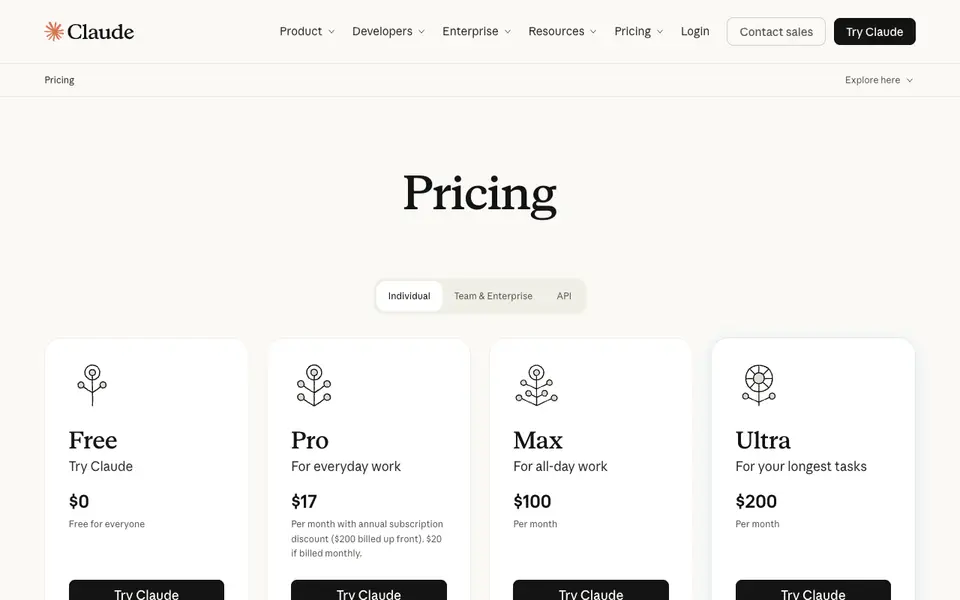
- Sign up and choose Pro Sign up with your email, then go to claude.com/pricing and choose Pro with the same account. Claude Code isn't in the Free plan.
- Open the Code tab Open the app, click Code at the top and choose This computer under the message box.
- Pick a folder Choose where the project should live, for example a new folder called am-i-right on your Desktop.
2Google ChromeFree
Why you need it: Listening uses the browser's Web Speech API, which works in Chrome, Edge and Safari but not Firefox.
Get it: www.google.com/chrome
3Node.jsFree
Why you need it: Next.js apps need Node.js 18 or newer to run on localhost.
Get it: nodejs.org
4SupabaseFree plan to start; Pro is $25 a month
Why you need it: Readers need accounts so their passages, scores and paid plans are saved.
Get it: supabase.com
5RazorpayNo setup fee; 2% per payment plus GST on that fee
Why you need it: The first passage is free; more passages need a plan, paid through Razorpay.
Get it: razorpay.com
6VercelFree Hobby plan for personal projects; Pro is $20 a month
Why you need it: Vercel hosts Next.js apps and gives you the https address that speech recognition needs.
Get it: vercel.com
7CapacitorFree; Google Play $25 once, Apple $99 a year
Why you need it: Optional: only if you want Am I Right? on Google Play and the App Store.
Get it: capacitorjs.com
6 of 7 tools are locked. Sign up free to see every setup step.
Full guide
Opening the guide…
Resume pointers for your CV
Built Am I Right?, a read-aloud checker that marks every word as right, wrong or skipped in real time using the browser's Web Speech API and edit-distance word matching, with zero AI token cost per reader.
FAQ
No. Am I Right? was built by describing it to Claude Code in plain English and checking the result in Chrome. Knowing a little about how websites work helps when something breaks, and Claude explains each step as it goes.